Resending an Order (When and How to Do It)
When to Resend an Order
You may need to resend an order if:
• Items were lost or damaged
• A replacement is required
• The original delivery failed
How to Resend an Order
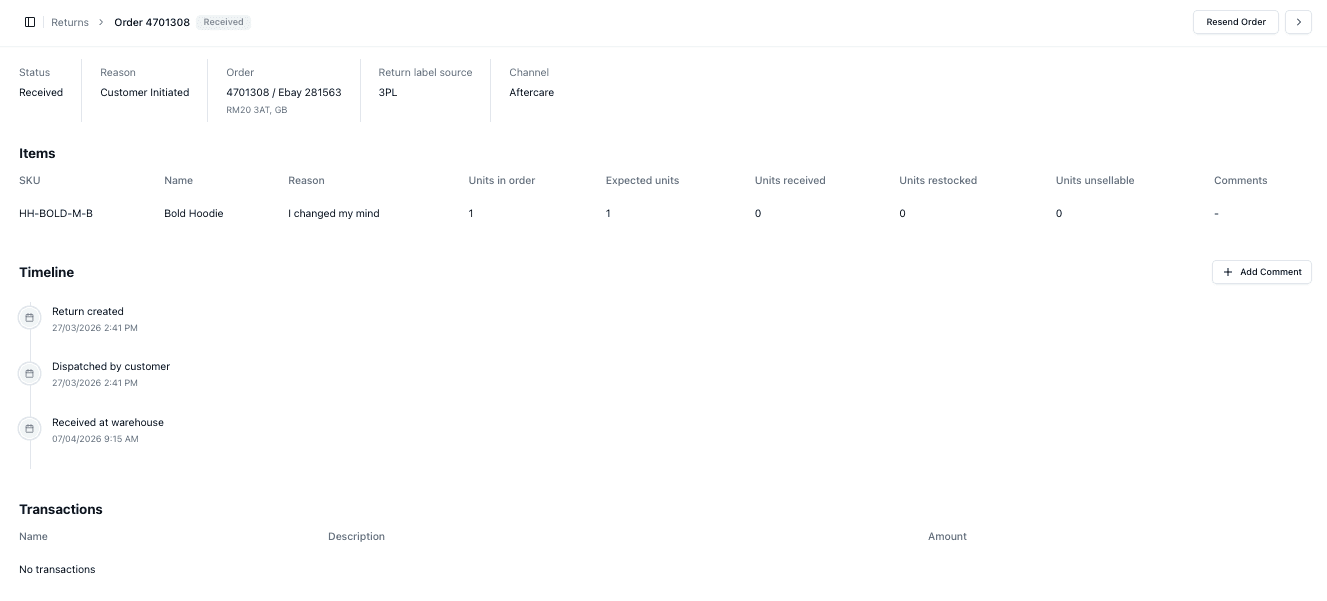
From the individual return or issue view:
• Select Resend Order
• Confirm the action
This will trigger a replacement order
What Happens After Resending
Once resent:
• A new order is created
• The replacement is processed through fulfilment
• The timeline is updated
Important Notes
• Only resend when necessary
• Ensure the issue is verified first
• Resending creates additional fulfilment activity
• Track replacements carefully
FAQs
Does resending affect inventory?
Yes — stock will be allocated for the replacement
Can I resend multiple times?
Technically yes, but it should be controlled to avoid errors