Notifications Overview (How Alerts and Updates Work)
What are Notifications?
Notifications allow you to stay informed about important events in your account. They provide updates on orders, inventory, returns and more.
Types of Notifications
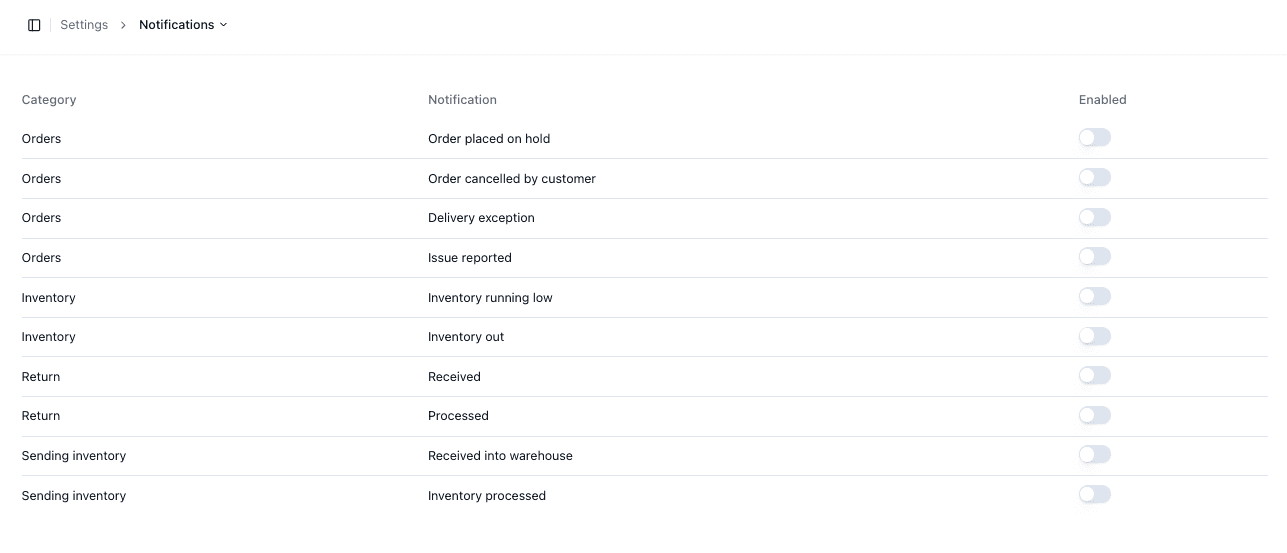
Notifications are grouped by category:
• Orders → Order updates and issues
• Inventory → Stock alerts
• Returns → Return updates
• Sending Inventory → ASN updates
Managing Notifications
You can enable or disable notifications individually. This allows you to control which alerts you receive.
Important Notes
• Notifications are optional and configurable
• Disabling notifications may cause missed updates
• Review settings regularly
• Notifications are grouped by category for clarity
FAQs
Can I disable all notifications?
Yes — each notification can be toggled off