How to Create an Issue Ticket
Creating an Issue Ticket
To create an issue:
• Navigate to Issues → Create Ticket
• Select Create Ticket
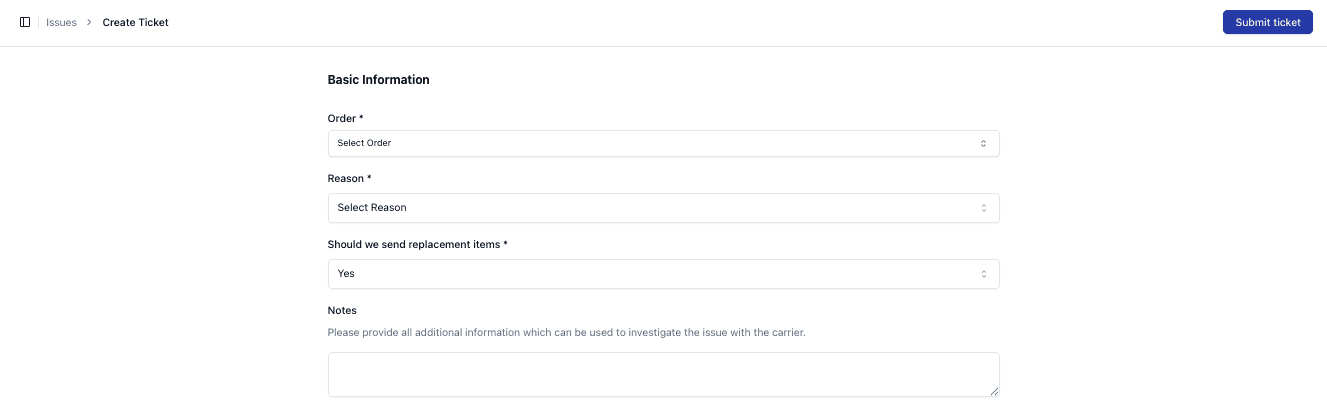
Required Information
You must provide:
• Order
• Reason
• Replacement decision (Yes/No)
Adding Additional Details
You can also include:
• Notes
• Supporting information for investigation
Viewing an Issue
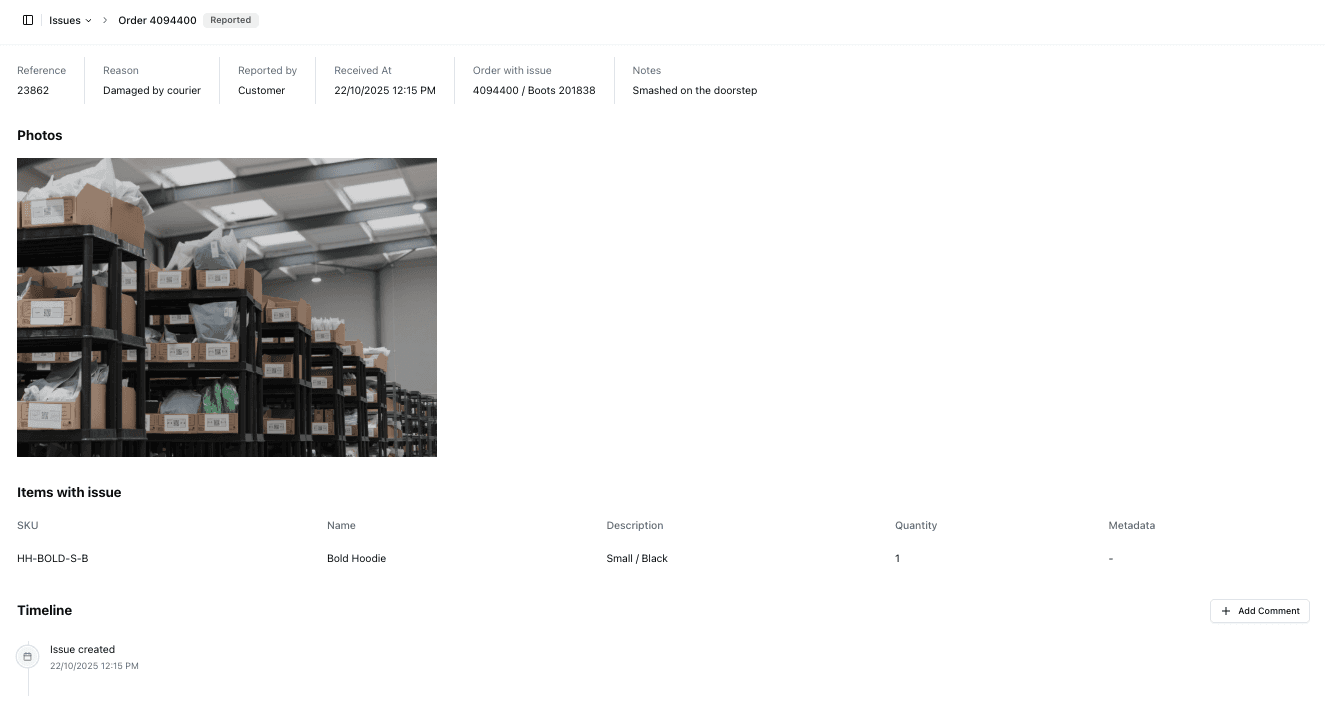
Once created, you can open the issue to view:
• Details
• Photos
• Items affected
• Timeline
Important Notes
• Provide as much detail as possible
• Accurate information speeds up resolution
• Photos help with investigation
• Incorrect data may delay handling
FAQs
Can I update an issue after creating it?
Yes — depending on permissions
Do all issues require replacements?
No — this depends on the situation