How to Add a Shipping Rule
Creating a Shipping Rule
To create a new rule:
• Navigate to Settings → Shipping Rules
• Click Add Shipping Rule
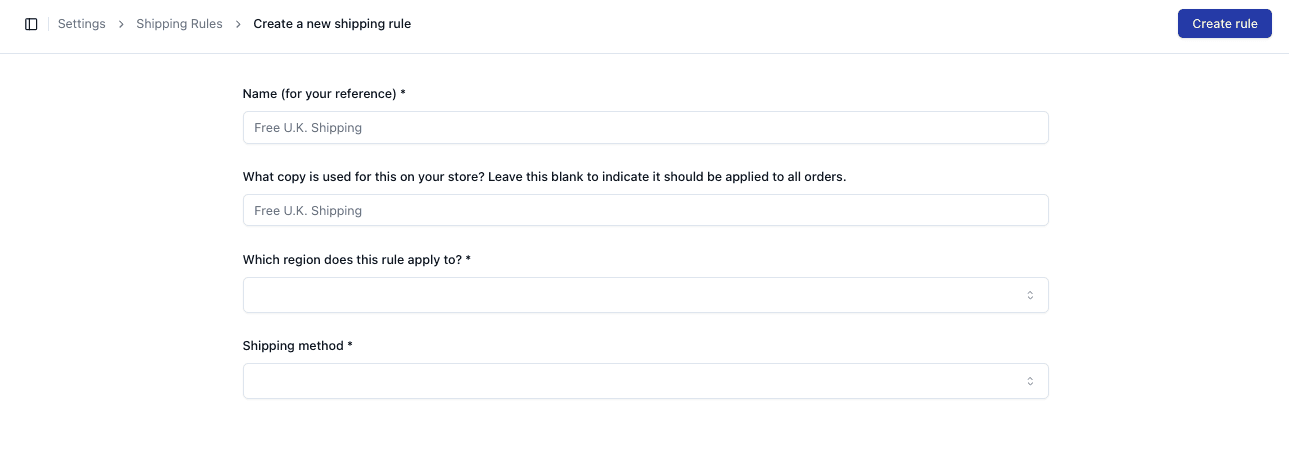
Required Fields
When creating a rule, you must enter:
• Name (internal reference)
• Region
• Shipping Method
You can also include:
• Copy (customer-facing label)
Setting Region and Method
Select the region the rule applies to:
• Example: United Kingdom, United States
Then assign the shipping method:
• Example: Royal Mail, DHL Express
This defines how orders in that region are shipped
Saving the Rule
Once complete:
• Click Create Rule
The rule will now be active and applied automatically
Important Notes
• Ensure the correct region is selected
• Shipping method must be configured in the system
• Copy is optional but useful for customer-facing messaging
• New rules may override existing defaults
FAQs
Do I need to set copy?
No — it is optional and used for display purposes
Can I edit rules later?
Yes — rules can be updated at any time