Gifting Page Overview
Navigating the Gifting Page
The Gifting page allows you to create, manage, and track all gifting campaigns in one place. It provides a clear overview of campaign performance and activity, acting as the central hub for all gifting operations within Pimento.
From this page, you can:
• View all existing campaigns
• Monitor gift activity across campaigns
• Identify active or completed campaigns
• Create a new campaign using “Create Campaign”
You can access this page via the Gifting tab on the left-hand navigation bar.
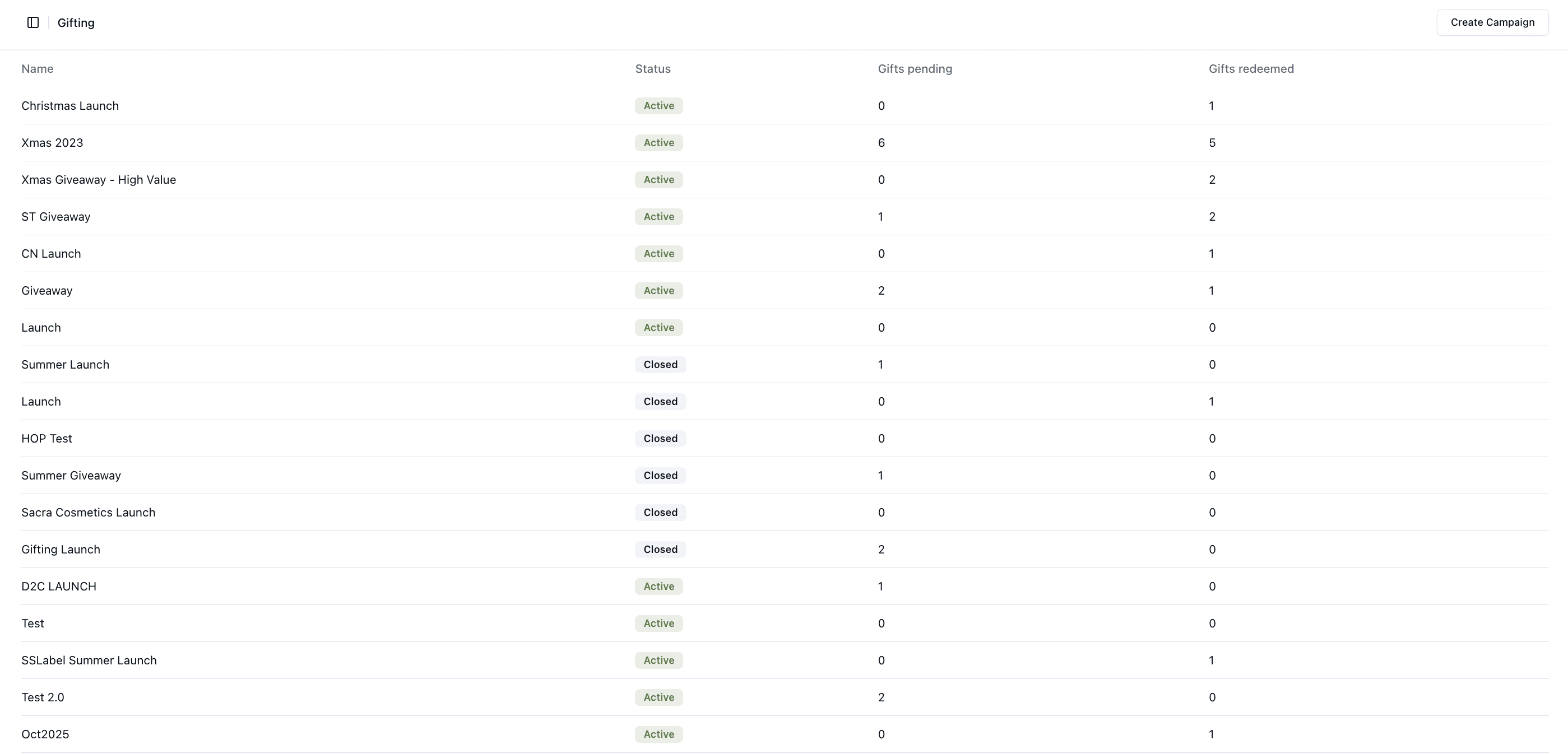
Campaign List Overview
Each campaign is displayed with key information, including:
• Campaign name
• Status (Active or Closed)
• Number of gifts pending
• Number of gifts redeemed
This allows you to quickly understand how each campaign is performing without needing to open it.
Campaign Status
Campaign status indicates availability:
• Active → Campaign is live and can be used
• Closed → Campaign is no longer in use
This helps you quickly identify which campaigns are still active.
Creating a Campaign
You can create a new campaign using the “Create Campaign” button located at the top-right of the page.
This allows you to:
Set up a new gifting campaign
Define items and campaign rules
Begin distributing gifts
Campaign Details View
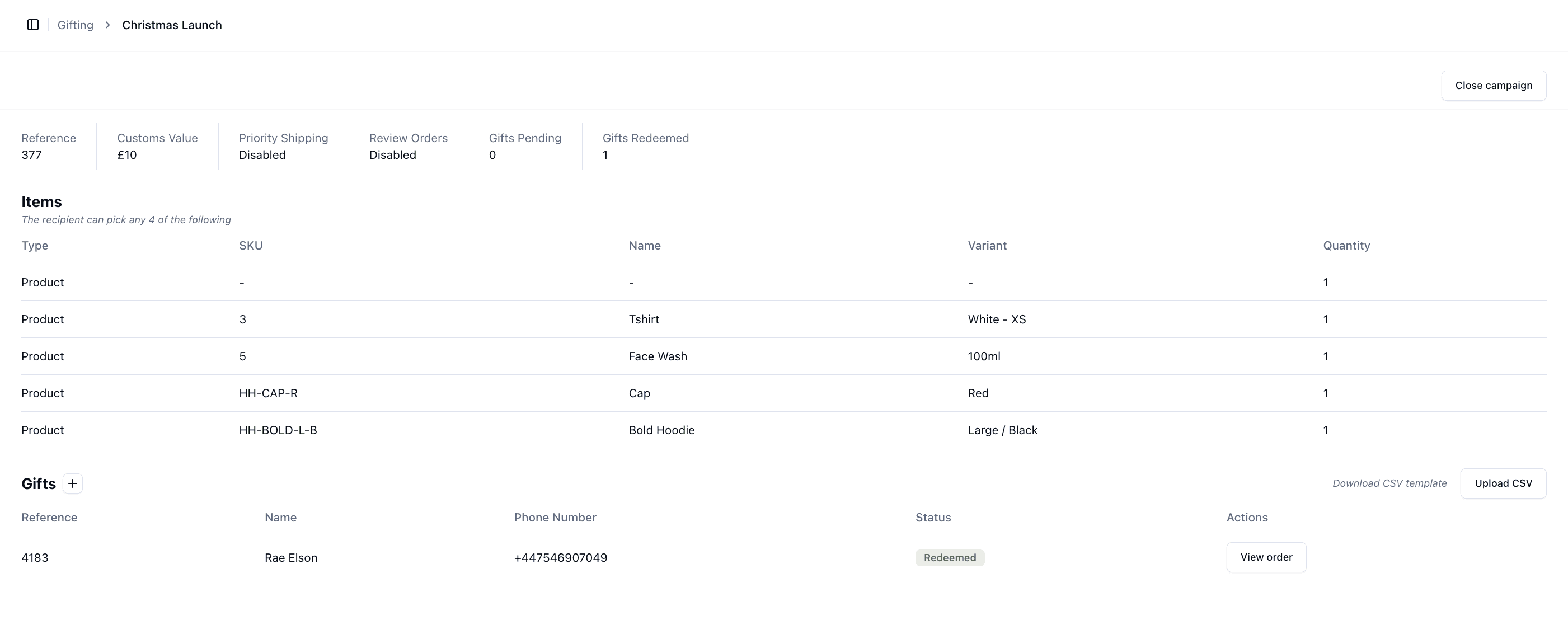
Selecting a campaign will open the detailed campaign view.
Within a campaign, you can view and manage:
• Campaign configuration (e.g. shipping method, review settings, customs value)
• Items available in the campaign
• Gift activity (pending and redeemed)
• Individual gift records and their status
• Access to related orders
Campaign status indicates availability:
• Active → Campaign is live and can be used
• Closed → Campaign is no longer in use
This page provides a single, central location to monitor performance, manage campaigns, and track all gifting activity within Pimento.