Creating a Single Bundle
Creating a Bundle Manually
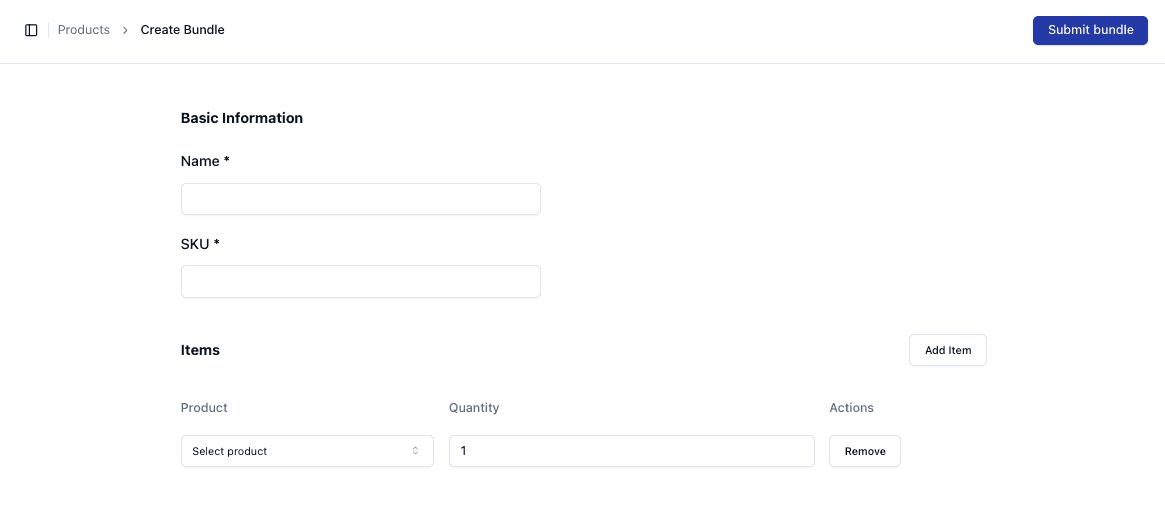
To create a single bundle:
• Navigate to Bundles → Create Bundle
Enter the required details:
• Name
• SKU
Adding Products to the Bundle
Under the Items section:
• Click Add Item
• Select a product from your inventory
• Set the quantity
Repeat this process for each product included in the bundle.
Setting Quantities
Each product requires a quantity value. This determines how many units of that product are used per bundle.
Example:
• 2 × T-Shirts
• 1 × Hat
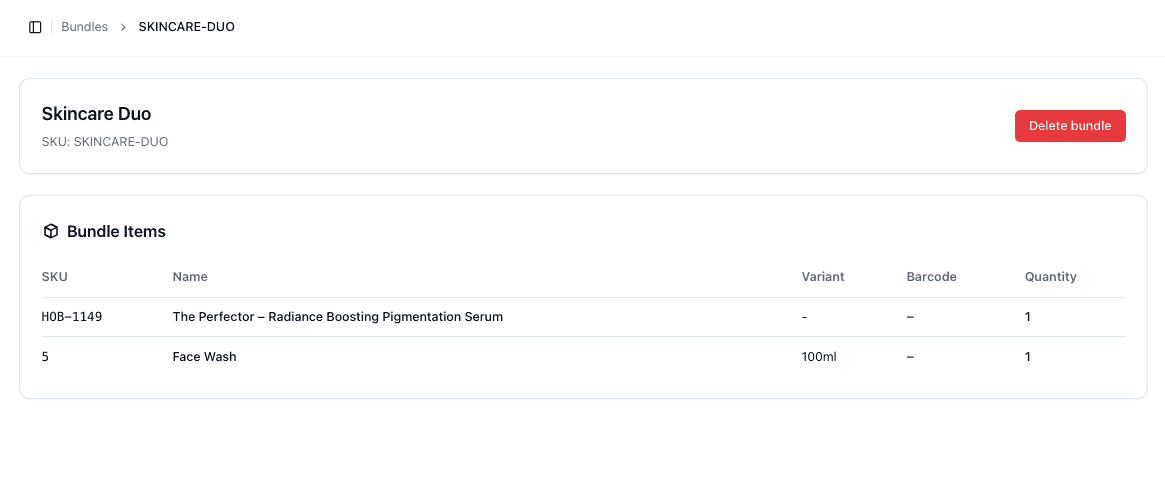
Reviewing the Bundle
After creation, you can view the bundle details.
This includes:
• All included SKUs
• Product names
• Quantities
Important Notes
• Ensure all products are correct before submitting
• Quantities directly impact inventory consumption
• Editing bundles after use may affect existing orders
• Always double-check SKU selections
FAQs
Can I preview a bundle after creating it?
Yes — you can view all included items in the bundle details
Can I change quantities later?
Yes — but be aware this may impact stock tracking