Configuring Shipping Rules Effectively (How to Set Up Shipping Rules Properly)
Editing Shipping Rules
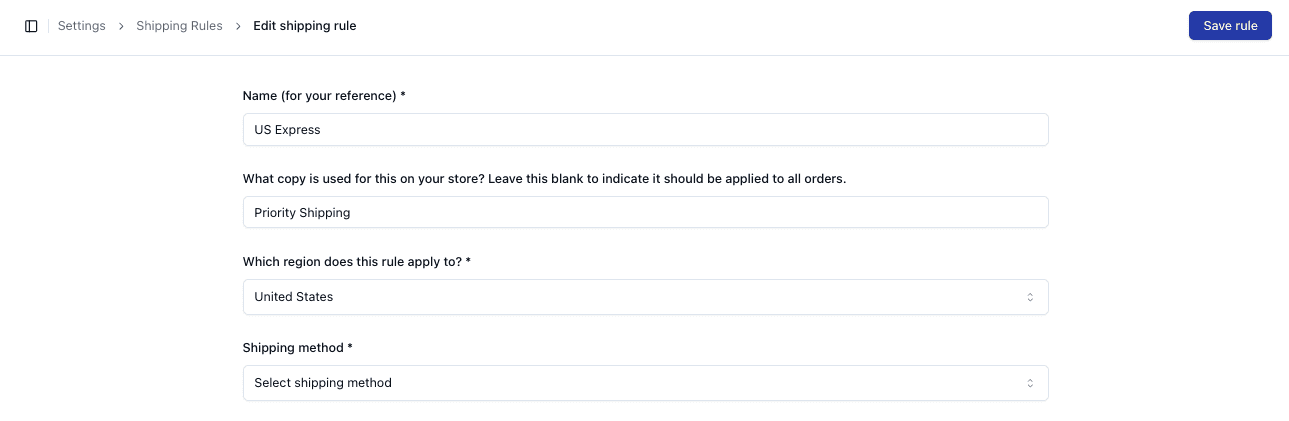
To edit an existing rule:
• Locate the rule in the list
• Open the Actions menu
• Select Edit
Update the required fields and save changes
Managing Multiple Rules
When working with multiple rules:
• Ensure each rule has a clear purpose
• Avoid overlapping configurations where possible
Rules should be structured logically by:
• Region
• Shipping type
Best Practices
To configure rules effectively:
• Use clear and consistent naming conventions
• Match regions accurately
• Assign the correct shipping method
• Use copy to reflect customer-facing messaging
Avoiding Conflicts
Conflicts can occur when:
• Multiple rules match the same conditions
• Rules are not clearly defined
To avoid this:
• Keep rules simple and specific
• Regularly review configurations

Important Notes
• Rule conflicts may result in incorrect shipping selection
• Always test rules after making changes
• Editing rules may affect live order routing
• Keep rules organised and easy to manage
FAQs
Can multiple rules apply to one order?
No — only one rule is applied based on matching logic
What should I do if shipping is incorrect?
Review rule configuration and region matching