Billing Summary Overview (Balances, Costs, and Payments)
What is the Billing Summary page?
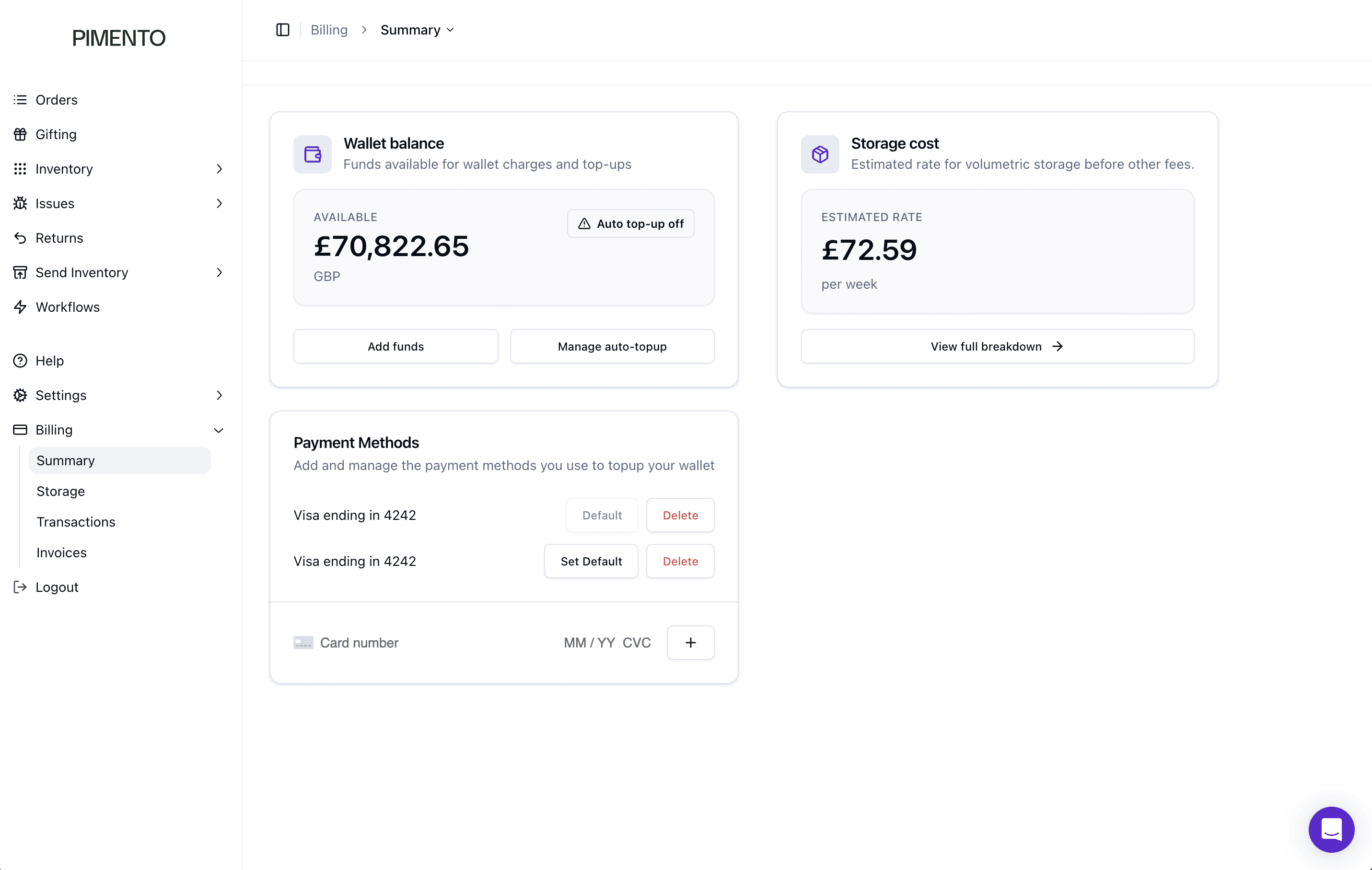
The Billing Summary page gives you a high-level overview of your current billing position in Pimento.
It is designed to show your available wallet balance, your estimated weekly storage cost, and the payment methods linked to your account.
This page acts as the main starting point for billing and payment management.
From this page, you can:
• View your current wallet balance
• See your estimated weekly storage cost
• Add funds to your wallet
• Manage auto top-up settings
• Manage payment methods
• Move into the full storage breakdown
Wallet balance
The Wallet balance section shows how much money is currently available in your Pimento wallet. This is the balance used for wallet charges and top-ups.
It displays:
• Available balance
• Currency
• Auto top-up status
Adding funds
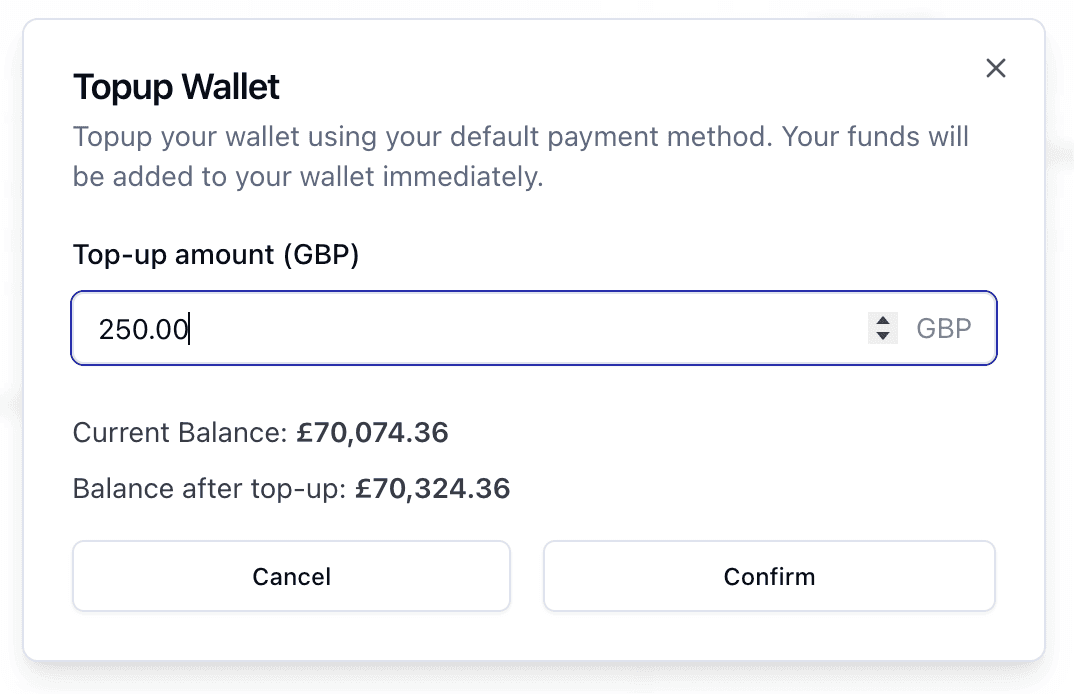
You can add funds using the Add funds button. This opens the wallet top-up window.
Within this window, you can:
• Enter a top-up amount
• See your current balance
• See your balance after top-up
• Confirm or cancel the payment
Funds are added immediately after confirmation.
Managing auto top-up
You can manage automatic top-ups using Manage auto-topup.
Auto top-up ensures your wallet does not run too low by adding funds automatically when required.
The page also shows whether auto top-up is currently on or off.
Storage cost
The Storage cost section shows your estimated weekly storage rate.
This is a summary figure based on volumetric storage before other fees.
You can select View full breakdown to open the Storage page.
Important Note:
Selecting “View full breakdown” takes you directly to the Storage section.
Payment methods
This section shows all saved payment methods.
From here, you can:
• View saved cards
• Set a default card
• Delete a card
• Add a new card
The default card is used for wallet top-ups.
Why this page is useful
This page brings all key billing information into one place.
It allows you to quickly check:
• Available funds
• Storage cost estimate
• Payment setup
FAQs
What is the wallet balance used for?
It is used for wallet charges and top-ups.
Does this include all billing costs?
No — storage here is an estimate only.
What happens when I click full breakdown?
You are taken to the Storage page.